

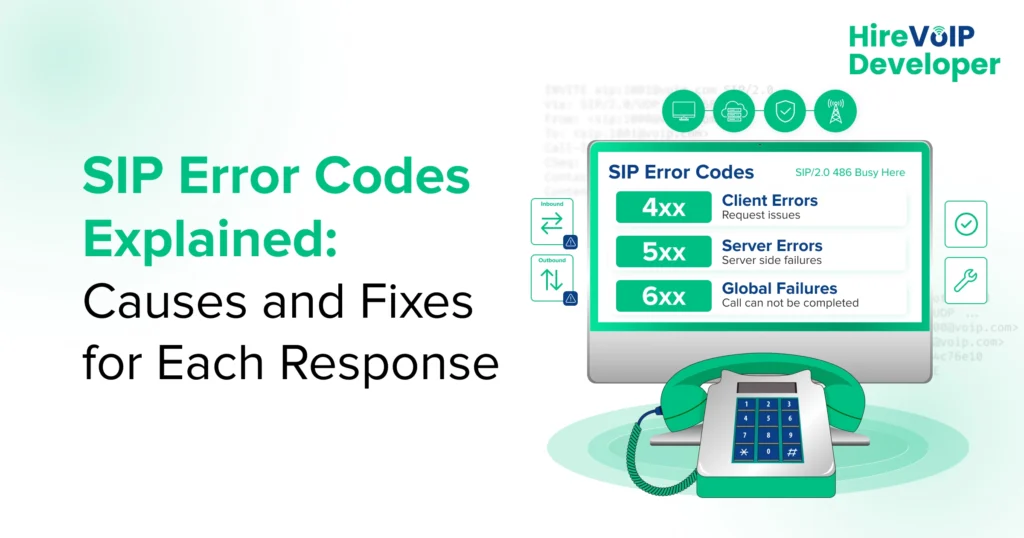
📝 Blog Summary
This blog moves beyond simple definitions to show how 4xx, 5xx, and 6xx SIP error codes pinpoint the true origin of VoIP call failures. It breaks down key differences between inbound and outbound errors while detailing how to trace headers, SDP negotiation, and call flows. Readers learn to isolate issues across endpoints, PBXs, SBCs, and carriers while avoiding common diagnostic traps. Ultimately, it gives technical teams a practical roadmap to solve root signaling failures rather than just treating surface symptoms.
A SIP error code looks deceptively simple. Three digits. One short message. Problem solved, right?
Not quite.
A 403 could leave you chasing credentials or access rules. A 404 might send you into your dial plan. A 488 could have nothing to do with call routing. And a 503 may point beyond your own infrastructure entirely.
So when your call fails, the real question isn’t just “What does this SIP error code mean?” It’s “What is this response telling me about where my call went wrong?”
That’s the part most SIP code lists leave out. Here, you’ll go beyond definitions to understand the likely cause, where to investigate, and what to fix for each common response. If the issue runs deeper into your SIP infrastructure, knowing when to hire a VoIP developer can also help you trace problems across routing, signaling, servers, and carrier connections.
But before you fix the error, do you know what those three digits are actually telling you?
What are SIP Error Codes?
SIP error codes are three-digit SIP response codes that tell you what happened when your VoIP system processed a SIP request. They help you tell whether a call is still being processed, succeeded, was redirected, or failed.
The first digit gives you the broad category, while the last two digits identify the specific response. So, when you see a code like 403, 488, or 503, you’re getting a clue about where your call flow needs attention.
What Do the Six SIP Response Code Classes Mean?
| Code class | Type | What does it tell you? |
|---|---|---|
| 1xx | Informational | Your request is still being processed. |
| 2xx | Success | Your SIP request was successfully handled. |
| 3xx | Redirection | You may need to contact another destination. |
| 4xx | Client error | Your request could not be fulfilled as sent. |
| 5xx | Server error | A server encountered a problem processing it. |
| 6xx | Global failure | The request is rejected across possible destinations. |
One important detail: not every SIP response is an error. Codes in the 1xx and 2xx ranges can simply tell you that your request is progressing or has succeeded.
Once you know the class, you can narrow down what went wrong and where to start looking.
What are Common SIP Error Codes and Their Meanings?
Common SIP protocol error codes include 400, 401, 403, 404, 408, 480, 481, 486, 487, 488, 500, 501, 502, 503, 504, 600, 603, 604, 606, and 607. Understanding what these responses reveal is one of the key techniques for VoIP developers to master the SIP stack, especially when troubleshooting authentication, routing, endpoint availability, server connectivity, SIP transactions, or media negotiation. You can usually resolve the issue by checking the area indicated by the response.
The tables below break down the list of SIP error codes, what each code means, what typically causes it, and what you can check to fix it.
1. 4xx SIP Error Codes
4xx responses generally indicate that the request could not be fulfilled because of an issue with the request, user, destination, or endpoint.
| Code | Meaning | Cause & fix |
|---|---|---|
| 400 | Bad Request | Cause: Malformed SIP request. Fix: Check SIP syntax and headers. |
| 401 | Unauthorized | Cause: Authentication failure. Fix: Verify SIP credentials. |
| 403 | Forbidden | Cause: Access or authorization restriction. Fix: Check permissions and blocked destinations. |
| 404 | Not Found | Cause: Destination or route not found. Fix: Check your dial plan and number. |
| 408 | Request Timeout | Cause: No timely response. Fix: Check network and SIP timeouts. |
| 480 | Temporarily Unavailable | Cause: Endpoint is unavailable. Fix: Check registration and endpoint status. |
| 481 | Call/Transaction Does Not Exist | Cause: Invalid or stale SIP transaction. Fix: Check the call flow and dialog. |
| 486 | Busy Here | Cause: Endpoint cannot accept the call. Fix: Check endpoint availability and call handling. |
| 487 | Request Terminated | Cause: Request was canceled. Fix: Check for CANCEL or BYE. |
| 488 | Not Acceptable Here | Cause: SDP or codec mismatch. Fix: Check codecs and media capabilities. |
A 4xx response doesn’t automatically tell you which component is at fault. Your SIP trace shows you where to investigate next.
2. 5xx SIP Error Codes
5xx responses generally point to a problem while a server is processing the request or communicating with another server.
| Code | Meaning | Cause & fix |
|---|---|---|
| 400 | Bad Request | Cause: Malformed SIP request. Fix: Check SIP syntax and headers. |
| 401 | Unauthorized | Cause: Authentication failure. Fix: Verify SIP credentials. |
| 403 | Forbidden | Cause: Access or authorization restriction. Fix: Check permissions and blocked destinations. |
| 404 | Not Found | Cause: Destination or route not found. Fix: Check your dial plan and number. |
| 408 | Request Timeout | Cause: No timely response. Fix: Check network and SIP timeouts. |
| 480 | Temporarily Unavailable | Cause: Endpoint is unavailable. Fix: Check registration and endpoint status. |
| 481 | Call/Transaction Does Not Exist | Cause: Invalid or stale SIP transaction. Fix: Check the call flow and dialog. |
| 486 | Busy Here | Cause: Endpoint cannot accept the call. Fix: Check endpoint availability and call handling. |
| 487 | Request Terminated | Cause: Request was canceled. Fix: Check for CANCEL or BYE. |
| 488 | Not Acceptable Here | Cause: SDP or codec mismatch. Fix: Check codecs and media capabilities. |
With 5xx errors, your next step is usually to identify which server returned the response before changing your configuration.
3. 6xx SIP Error Codes
6xx responses indicate a broader rejection of the request by the destination.
| Code | Meaning | Cause & fix |
|---|---|---|
| 600 | Busy Everywhere | Cause: User is busy across locations. Fix: Check endpoint availability. |
| 603 | Decline | Cause: Call was deliberately rejected. Fix: Check call handling or screening rules. |
| 604 | Does Not Exist Anywhere | Cause: Destination doesn’t exist. Fix: Verify the number and routing. |
| 606 | Not Acceptable | Cause: Session requirements aren’t supported. Fix: Check SDP and codecs. |
| 607 | Unwanted | Cause: Call was marked unwanted. Fix: Check filtering or destination policies. |
The important part? Don’t stop at the code. To understand what went wrong, you need to know who sent it, which direction the call was going, and what happened immediately before it.
How Do SIP Error Codes Differ for Inbound and Outbound Calls?
SIP errors can mean different things depending on whether you’re making or receiving a call. For outbound calls, you usually investigate authentication, routing, and carrier responses. For inbound calls, you often start with registration, DID routing, and endpoint availability.
1. Outbound SIP Errors
When your outbound call fails, start by checking the path from your endpoint or PBX to the carrier or SIP provider.
- 401/403: Check your SIP credentials, authentication, and calling permissions.
- 404: Verify your dial plan and number format.
- 488: Check whether your codecs and SDP match the carrier’s requirements.
- 503/504: Check the carrier connection, upstream server, and network path.
Your SIP trace can show whether the failure happened inside your infrastructure or after the request reached your provider.
2. Inbound SIP Errors
For inbound calls, your investigation usually moves in the opposite direction. Check how the carrier reaches your SBC, PBX, and final endpoint.
- 404: Check DID routing and whether the destination exists.
- 480: Check endpoint registration and availability.
- 486: Check whether the destination is busy or has call-handling rules.
- 503: Check your PBX, SBC, or upstream service availability.
The same 404, 480, or 503 can therefore lead you to very different checks depending on your call direction.
The next step is figuring out exactly where the response originated.
How Can You Troubleshoot SIP Error Codes in VoIP Systems?
You can troubleshoot SIP error codes in VoIP systems by identifying the exact response, finding which system sent it, and tracing the SIP call flow around the failure. Then, check the relevant headers, SDP, logs, and network path to isolate the root cause.
- Identify the Exact SIP Response
Start with the three-digit code, not just the failed call.
A 403, 488, and 504 point you toward very different areas. The SIP 504 means your server did not receive a timely response from another server, so check the upstream path and response timing.
- Find Who Sent the Response
The system generating the response matters as much as the code itself.
Your endpoint, PBX, or SBC could be responsible, and understanding the SBC vs SIP server differences and similarities can help you identify which layer needs attention. Check the Via, From, To, and related SIP headers to identify the source.
- Follow the SIP Call Flow
Look at the messages immediately before and after the error.
Understanding what SIP code 487 means becomes easier when you can see a CANCEL or BYE preceding it. This helps you distinguish the actual failure from a response caused by another event.
- Check Headers and SDP
Some failures are hidden in the details of the SIP request.
Understanding what the SIP 488 error means starts with your SDP and codec negotiation. Check the offered codecs, media addresses, and other session parameters for incompatibilities.
- Compare a Successful Call
If you have a working call to the same destination, compare its SIP trace with the failed one.
Look for differences in routing, authentication, headers, codecs, response timing, and server behavior. This can reveal what changed and triggered the failure.
- Check Your Infrastructure Logs
Finally, correlate the SIP trace with logs from your PBX, SBC, endpoint, and SIP provider.
This helps you determine whether you’re dealing with a configuration problem, network issue, upstream failure, or endpoint behavior.
The goal isn’t simply to identify the error code. It’s to connect the code to the exact point where your call flow broke.
How Can You Tell Which Part of Your SIP Infrastructure is Causing the Error?
You can narrow down a SIP error by matching the response and call behavior to the infrastructure layer involved, with SBC architecture explaining what happens between SIP signaling and media streams, helping you identify where the failure sits. Your endpoint, PBX, SBC, or SIP provider can each produce different failure patterns.
| Symptom | Check first |
|---|---|
| 401 / 403 | Authentication or access rules |
| 404 | Dial plan or destination routing |
| 480 / 486 | Endpoint availability |
| 488 | SDP or codec compatibility |
| 503 | Server or carrier availability |
| 504 | Upstream server or network path |
| Call fails before reaching your PBX | Carrier or SBC |
For example, a 404 after your PBX receives the call points you toward internal routing. A 504 from an upstream server shifts your attention to the external SIP path.
This layer-based approach helps you avoid changing your endpoint settings when the actual problem sits with your PBX, SBC, or carrier.
Once you know which layer is involved, you can focus your fix instead of troubleshooting your entire VoIP stack.
And even when you know where to look, could one wrong assumption still send your troubleshooting in the wrong direction?
Stuck tracing a SIP failure across your stack?
Common SIP Error Code Troubleshooting Mistakes
SIP troubleshooting can take longer when you treat the response code as the diagnosis itself. A few common assumptions can send you toward the wrong fix, even when your SIP trace points elsewhere.
1. Assuming Every 4xx Is a Configuration Error
A 4xx response can involve authentication, routing, availability, or the destination. Check the response context before changing your configuration.
2. Treating 487 as the Original Failure
SIP code 487 means the request was terminated, but it may be a consequence rather than the root problem. Check what triggered the termination.
3. Ignoring SDP and Codec Negotiation
When you’re investigating SIP code 488, don’t focus only on routing. Your SDP and codec settings may be preventing the destination from accepting the session.
4. Assuming the First Visible Error Is the Root Cause
The response you notice may only be the final result of an earlier failure. Follow the call sequence to identify what happened immediately before it.
5. Blindly Retrying Server Errors
Repeatedly retrying a 5xx response won’t resolve an underlying server, routing, or connectivity issue. Check the response context before retrying.
Good SIP troubleshooting means questioning the first explanation your error code seems to give you.
So, once you know what not to assume, which SIP errors are worth asking about directly?
Stuck tracing a SIP failure across your stack?
Conclusion
A SIP error code is rarely the whole story. If you skip the call flow, response source, and infrastructure layer, you may fix the symptom while the real problem keeps returning.
That is why Hire VoIP Developer approaches VoIP issues across the full communication stack, from SIP signaling and SBCs to FreeSWITCH, Kamailio, OpenSIPS, and carrier connectivity.
If you jumped straight here, you now know the answer. But you would have missed the why behind it, which is what helps you troubleshoot the next SIP failure without starting from zero.