


🗝️ Key Highlights
- Explained what WebRTC leaks are and how they can silently expose your real IP address despite using VPNs or proxies.
- Outlined the types of WebRTC leaks and how they can impact business communication security and privacy.
- Shared practical steps to run WebRTC leak tests and prevent leaks with secure development practices.
Your VPN dashboard says you’re safe. ✅
Your IT team assures you that everything is encrypted. ✅
But WebRTC has a way of bypassing those protections, exposing your real IP in the background. ⚠️
How does this happen? And more importantly, how sure are you that your system isn’t leaking right now?
The worst part? It’s not limited to one platform! This happens in almost every major browser (Chrome, Firefox, Edge, and Safari).
If you value your privacy, running a WebRTC leak test isn’t just smart, it’s non-negotiable.
Because without it, your location, identity, and every digital move could be laid bare to anyone who knows where to look.
But here’s the real question, What is a WebRTC leak, and how do you stop it before it exposes you?
What is WebRTC Leak?
WebRTC (Web Real-Time Communication) is a technology built into browsers that enables peer-to-peer connections for applications such as video calls, file sharing, or live streaming, without requiring additional plugins.
But to make these direct connections, WebRTC needs to reveal your device’s real IP address. Even if you’re behind a VPN, it can sometimes “leak” this information directly through your browser.
💭Think of it like this:
You’ve locked your front door (VPN), but WebRTC accidentally leaves the side window open. Anyone looking in can see where you really are.👀
And, why does this happen?
- WebRTC relies on configuring and optimizing TURN Servers for WebRTC NAT Traversal to establish direct connections between peers.
- These servers bypass regular routing, exposing your actual IP address.
- VPNs mask your public IP, but WebRTC can still detect your original IP through local network requests.
If you’ve ever used Google Meet, Discord, or any web-based calling app, you’ve used WebRTC. And since it affects almost all modern browsers, it’s not just a rare glitch, it’s a real, everyday risk.
But not all leaks look the same, in fact, WebRTC can expose your identity in a few different ways.
Here are the main types of IP leaks you should know about:
1. Public IP Leaks
The most obvious and risky type is this one. Your public IP is like your home address on the internet. If it leaks, websites and trackers can determine your real-world location, even when you’re using a VPN to mask it.
2. Local IP Leaks
Your local IP isn’t as revealing as your public one, but it still gives away details about your device and network. It can reveal, for example, whether you’re on a private home network, office LAN, or even a shared Wi-Fi. Hackers and trackers can use this to map out your network environment.
3. VPN/Proxy Bypass Leaks
This is where things get really concerning. Even with a VPN or proxy running, WebRTC can sometimes “bypass” it and directly reveal your original IP. In short, your VPN mask fails, and anyone monitoring sees the real you behind the scenes.
Therefore, a WebRTC leak is more than just a technical error; it is the hidden reveal of your public, local, or even VPN-masked IP address. And while that might sound small, the consequences for businesses can be far-reaching.
Let’s look at that in the next section.
How Can a WebRTC Leak Put Your Business at Risk?
A WebRTC leak might seem like a minor technical glitch, but it can quietly expose your business to serious security, privacy, and compliance threats.
And that’s why running regular WebRTC tests or doing a quick WebRTC check isn’t optional anymore, it’s a must for protecting your communication systems.
Security risks: Data exposure and targeted attacks
When WebRTC leaks expose IP addresses, they also expose parts of your network infrastructure.
Cybercriminals can use this data to map your network and launch targeted attacks. What looks like harmless metadata can quickly become the entry point for phishing, DDoS attacks, or even direct attacks into your communication systems.
Privacy concerns: Compromised user anonymity
Despite using a VPN, real IP information from your staff or clients can still slip through during a WebRTC leak.
And so this breaks the privacy element that many rely on for secure communication. Without regular WebRTC detection checks, this kind of silent breach can go unnoticed for months.
Regulatory impact: Compliance with GDPR, HIPAA, etc.
If your business operates under strict privacy regulations like GDPR or HIPAA, a WebRTC leak can quickly turn into a compliance issue.
Leaked IP addresses can be treated as personal data. Exposing them without consent can result in audits, penalties, and legal complications that damage your business reputation.
Business risks: Damaged reputation and customer trust
Even if the security impact is minimal, the mental damage can be huge.
If customers or partners learn their data may have been compromised, it can shake their trust in your platform.
And, over time, that loss of trust can affect your brand’s reliability, customer retention, and revenue growth.
So, what looks like a small technical flaw can quietly become a major business vulnerability.
Next, let’s look at how you can run a WebRTC leak test to spot and fix these issues before they cause any trouble for your business.
How to Detect a WebRTC Leak?
Before you can fix a WebRTC leak, you first need to find out if one even exists. The good news is, spotting it isn’t complicated, you don’t need to be super technical.
With just a few quick checks and a WebRTC test, you can see if any hidden IP addresses are slipping through your VPN or proxy.
Here’s a simple, step-by-step guide to securing your communication setup
👉Step 1: Use Online Tools to Check for IP Leaks
Start with a quick WebRTC check using trusted online leak detection tools. These tools simulate a WebRTC session in your browser and display any IP addresses that are being exposed.
If you see your real IP address or local network IP on the results page, it’s a red flag that your system could be leaking sensitive information through WebRTC.
👉Step 2: Test While Connected to a VPN or Proxy
Next, connect your device to your company VPN or proxy and run the WebRTC test again. This step is crucial because many leaks only appear when VPNs are active.
If the test shows your actual IP instead of your VPN’s masked IP, that means WebRTC is bypassing the VPN tunnel, a serious security risk for business communications.
👉Step 3: Conduct Manual Browser Tests
For a more hands-on WebRTC detection approach, you can manually check your browser’s network behavior. Open the developer console (F12), initiate a WebRTC call or data transfer, and monitor the STUN requests to see which IPs are being exposed.
This method can reveal whether your browser is leaking private network information without your knowledge.
👉Step 4: What to Look for in the Test Results
While reviewing your WebRTC check results, focus on identifying:
- Your real public IP (should not appear if VPN is working)
- Local private IP addresses (can reveal internal network structure)
- Any inconsistencies between your VPN IP and the detected IPs
If any of these show up, it means your WebRTC implementation may be leaking data, putting your business at risk.
By regularly running a WebRTC test and documenting the results, you can stay ahead of potential vulnerabilities before they turn into security incidents.
Next, let’s look at the 4 Common Causes of WebRTC IP Leaks so you can understand where these leaks typically come from.
4 Common Causes of WebRTC IP Leaks
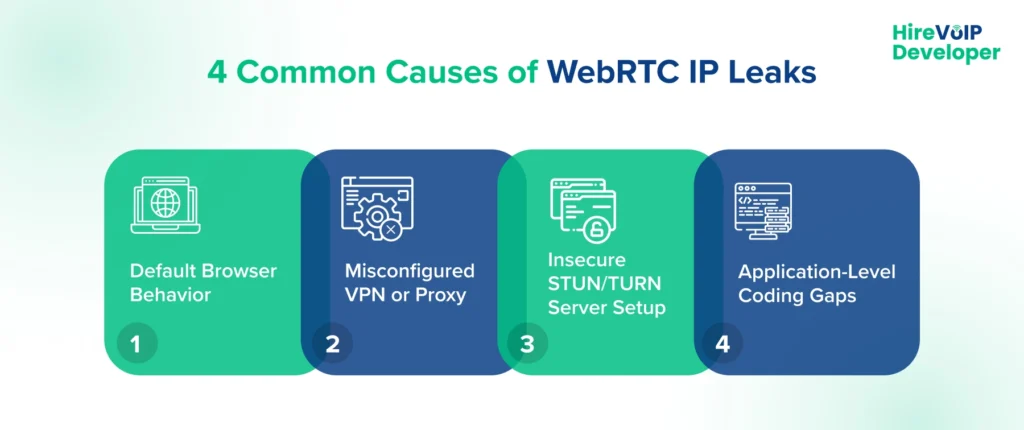
Running a WebRTC test is only the first step. To fix the issue, you need to know why the leak is happening. Many businesses assume their systems are secure because they’ve invested in VPNs, proxies, or firewalls; however, WebRTC leaks frequently occur due to small configuration oversights.
Let’s break down the four most common causes:
1. Default Browser Behavior
Most modern browsers have WebRTC enabled by default to support real-time communications like video calls and screen sharing.
While this improves performance, it also allows browsers to bypass VPNs or proxies during peer-to-peer connections. Even if your network appears secure, your actual IP address can still be revealed during a WebRTC check.
2. Misconfigured VPN or Proxy
Another common cause is a VPN that doesn’t block WebRTC traffic. Many VPNs secure your internet traffic but don’t route WebRTC connections through the encrypted tunnel.
When you run a WebRTC test and see your real IP instead of your VPN-assigned IP, it’s a sign your VPN is leaking data. This poses a significant risk to businesses that handle sensitive communications.
3. Insecure STUN/TURN Server Setup
WebRTC relies on STUN and TURN servers to establish peer connections. If these servers are misconfigured or exposed, they can leak your internal or public IP addresses during call setup.
Without proper WebRTC detection measures and security rules, this creates an entry point that attackers can exploit.
4. Application-Level Coding Gaps
Sometimes, the issue lies within your own WebRTC-based applications. If custom WebRTC code isn’t written with privacy in mind, it may unintentionally expose IP details to clients or external networks.
This is especially risky for enterprise communication platforms, where a single WebRTC leak can compromise multiple users at once.
Understanding these common causes is crucial because it shows where to focus your security efforts.
Next, let’s discuss how to address WebRTC Leaks so you can close these gaps before they become a serious threat.
How to Fix WebRTC Leaks
Once you’ve confirmed a WebRTC leak through testing, the next priority is to fix it as quickly as possible.
The good news? Most leaks can be closed with the right mix of configuration changes and security best practices.
Here’s how you can protect your business communication systems from future leaks:
1. Disable WebRTC in Browsers (Short-Term Fix)
As an immediate safeguard, you can disable WebRTC in the browsers used across your organization.
This prevents the browser from initiating any peer-to-peer connections, eliminating the chance of accidental leaks. However, this is just a temporary workaround, as it can break web apps that rely on real-time communication.
2. Configure VPNs and Firewalls Properly
Make sure your VPN routes WebRTC traffic through its encrypted tunnel. Many VPNs offer “WebRTC leak protection” settings, enable them.
You should also update your firewall rules to block direct STUN traffic if it’s not required. Running a WebRTC test after making these changes helps verify if the leak is patched.
3. Secure STUN/TURN Servers
If you use custom WebRTC applications, check your STUN/TURN server setup.
Use secured TURN servers (with TLS/DTLS encryption) and limit access through proper authentication. This will prevent WebRTC detection tools from exposing internal IPs during call setup.
4. Build Leak-Proof WebRTC Architectures
For long-term security, work with experts to design WebRTC architectures that prioritize privacy and data protection.
This includes using secure signaling, Session Border Controllers (SBCs) for WebRTC Security and traffic control, and periodic WebRTC checks as part of your security audits. Well-built architectures dramatically lower your risk of IP leaks.
Fixing a WebRTC leak is not just about patching a flaw, it’s about building trust, compliance, and resilience into your real-time communication systems.
Next, let’s walk through Best Practices to Prevent WebRTC Leaks in Enterprises so you can stop leaks before they even start.
Best Practices to Prevent WebRTC Leaks in Enterprises
Preventing a WebRTC leak isn’t about plugging one hole and hoping for the best, it’s about creating a secure foundation for every call, video session, and real-time interaction your business handles.
If your team depends on WebRTC to power daily communication, you can’t afford to leave security as an afterthought.
The good news?
A few smart practices can go a long way in keeping leaks out of the picture.
Regular WebRTC leak testing as part of security audits
Think of a WebRTC test like a routine health check for your communication stack.
Just as you schedule vulnerability scans or penetration tests, adding a WebRTC check to your regular security audits helps catch issues early.
If any IP addresses are slipping through the cracks, you’ll spot them before they become a real threat.
It’s a small step that can save you from a major headache later.
Secure WebRTC app development guidelines
Security has to start right at the development phase!
Your teams should follow secure coding practices, use DTLS/SRTP for encryption, and validate every peer connection that comes through.
Building in WebRTC detection during development means you’re testing for leaks while the app is still on the workbench, long before customers ever use it.
That way, you’re not racing to patch vulnerabilities after launch.
Importance of SBCs, NAT traversal handling, and secure signaling
Here’s where architecture matters.
Many WebRTC leaks occur due to weak NAT traversal or signaling misconfigurations.
Introducing a Session Border Controller (SBC) can give you a strong safety net.
It enforces encryption, handles STUN/TURN configurations correctly, and keeps signaling traffic secure, so private calls actually remain private.
Role of custom WebRTC solutions tailored to enterprise needs
Off-the-shelf WebRTC tools might be convenient, but they’re rarely built for complex enterprise environments.
A custom WebRTC solution gives you full control, everything from secure signaling to authenticated peer connections to ICE candidate filtering can be designed with leak prevention in mind.
Also, mixing up WebRTC vs WebSockets can lead to design flaws, WebRTC is built for real-time media, whereas WebSockets handle data events, so choosing the right one helps avoid security gaps.
In short, you get a platform that fits your security needs instead of trying to squeeze your needs into a generic platform.
When you combine these best practices, you create a communication environment that’s not only secure but also built to scale without risking WebRTC leaks.
And if you’re wondering how to bring all these pieces together, the next part will show you exactly how Hire VoIP Developer can help you secure your WebRTC environment from the ground up.
How Hire VoIP Developer Helps You Secure WebRTC?
At Hire VoIP Developer, we position ourselves as a strategic partner for businesses that rely on WebRTC for real-time communication. We develop custom WebRTC solutions with leak prevention built in from the very start, using secure signaling, authenticated peer connections, and strict ICE candidate filtering to safeguard your data.
We also integrate WebRTC leak tests and checks into your development lifecycle and ongoing maintenance routines, ensuring continuous detection of any potential IP leaks.
Our team takes care of complex technical tasks like secure NAT traversal, STUN/TURN configurations, and deploying robust Session Border Controllers (SBCs) to strengthen your communication framework. And because security doesn’t stop at technology, we design every solution to align with industry regulations like GDPR and HIPAA, giving you peace of mind that your system is both compliant and secure.
We also believe security is never a one-time effort!
Now that you know how we help secure your systems, let’s wrap things up by showing you how to run a WebRTC leak test yourself, so you can confidently safeguard your business before we conclude.
Wrapping Up
Detecting and fixing WebRTC leaks isn’t just a technical chore, it’s a crucial step in safeguarding your organization’s communications. Left unchecked, these leaks can silently expose sensitive data and erode customer trust, leading to security breaches and financial loss. By staying proactive, businesses can avoid scrambling after a breach and instead stay several steps ahead of threats.
Key Takeaways:
- WebRTC leaks can expose real IP addresses, bypassing VPNs or proxies and putting data at risk.
- Early detection and quick remediation help maintain secure, private, and reliable communication channels.
- A proactive security approach builds resilience, protects brand reputation, and ensures compliance.
Ready to strengthen your communication systems? Run a WebRTC leak test today and consult Hire VoIP Developer for tailored security solutions.