
📝 Blog Summary
This blog explores how you can build click to call with WebRTC and callback APIs, and what happens behind that simple call button. It covers the architecture, costs, failure points, and tradeoffs you need to consider before choosing an approach. You’ll also see when WebRTC, callback, or a hybrid model makes sense for your product. Finally, the blog explains how to build a reliable click-to-call solution tailored to your users and calling requirements.
You add a Call Now button to your website. Simple enough.
Then someone asks, “Should it open a browser call or call the customer’s phone?”
You pick WebRTC. Then you discover STUN, TURN, SIP, gateways, browser permissions, PSTN connectivity, and everything that happens when the network decides not to cooperate.
So you consider a callback API instead. That sounds simpler until you realize you may be paying for two call legs, handling retries, scheduling, routing, and a completely different customer experience.
Suddenly, the button is the easiest part of your click-to-call solution.
If you’re deciding how to build click to call for your SaaS product, contact center, VoIP platform, or customer-facing application, you’re probably not looking for another definition or guide to WebRTC or callback APIs. You need to know what actually happens behind the button, what each approach costs, where it breaks, and which architecture fits your product.
That’s what this guide is here to help you figure out.
So, when your user clicks Call Now, where does that call actually go?
What is Click to Call and How Does It Work?
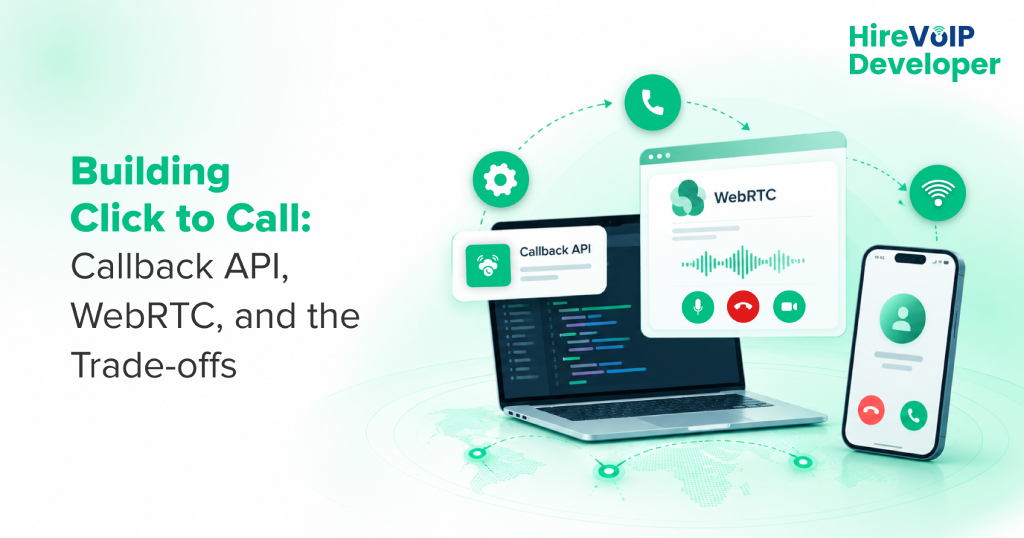
Click-to-call lets your users start a phone call by selecting a call option on your website or app. The call can connect through WebRTC, a callback API, or another telephony system behind the interface.
The important part is what happens after your user clicks. That single action can trigger very different call flows depending on how you build your click to call solution.
How Click to Call Works?
At a high level, you have two common approaches:
- WebRTC: Your user calls directly from the browser or app.
- Callback API: Your system uses the user’s phone number to initiate and bridge a call.
With WebRTC, your user stays inside your product. Their browser captures the audio and sends it through the real-time communication layer, which can use components such as RTPengine for SIP WebRTC media handling when bridging WebRTC media with your SIP infrastructure.
With a callback API, your application sends a request to the telephony system. The system then connects the customer and your agent over the phone network.
So, the experience may look identical to your user, but your backend handles two very different architectures.
That distinction matters when you are planning infrastructure, costs, reliability, and scale.
Your user sees one click; your architecture sees an entire call flow. What sits in between?
How WebRTC and Callback API Work for Click to Call?
When your user clicks Call, the call can take two very different paths. WebRTC keeps the conversation inside your browser or app, while a callback API uses your phone network to connect the customer and agent.
The difference becomes clearer when you follow the call beyond that first click.
1. WebRTC Click to Call
Your browser captures the user’s microphone and establishes a real-time WebRTC session.
A typical flow looks like this:
Browser → WebRTC → STUN/TURN → WebRTC-SIP Gateway → SIP Infrastructure → PSTN/Agent
WebRTC handles the real-time audio between your user’s device and your communication infrastructure. STUN helps establish connectivity, while TURN relays media when a direct connection is not possible. If your call needs to reach a phone number, you still need a gateway and telephony layer to bridge WebRTC with SIP or the PSTN.
That means your click to call solution needs more than a browser API.
2. Callback API Click to Call
Your user enters a phone number and requests a callback. Your application sends that request to the callback API, which triggers the telephony system to connect the required call legs.
The flow is typically:
Website/App → Callback API → Telephony Platform → Customer + Agent → Connected Call
Your user does not need browser-based media or WebRTC connectivity.
This can simplify the customer-side experience, especially when your users may be on different devices, browsers, or networks.
The trade-off moves elsewhere, though. Your system now needs to handle call routing, retries, scheduling, and the cost of the underlying phone connections.
The button stays the same; your infrastructure does not.
Two paths can deliver the same call, so which one fits your product?
WebRTC vs Callback API for Click to Call
There is no single click-to-call architecture that fits every product. WebRTC gives you an in-browser calling experience, while a callback API gives you phone-based connectivity with less browser dependency. Your choice depends on your user experience, infrastructure, reliability, and cost requirements.
| Factor | WebRTC | Callback API |
|---|---|---|
| User experience | Calls from browser or app | Calls through phone |
| Infrastructure | WebRTC, gateway, SIP/PSTN | Telephony, API, and call routing |
| Network dependency | Depends on browser and network | Primarily depends on your phone network |
| User friction | Mic permissions required | Phone number required |
| Failure points | ICE, TURN, browser, gateway | Routing, retries, call legs |
| Best fits | App-native calling | Broad phone accessibility |
1. WebRTC Use Case
WebRTC works well when calling is already part of your application experience. You can let users call without leaving your website or app, while keeping more control over the calling interface and in-product context. Architecting WebRTC systems for 10k concurrent calls also requires planning for connectivity, gateways, SIP integration, and scaling.
The tradeoff is infrastructure ownership. Your team may need to manage these components as your calling requirements grow.
2. Callback API Use Cases
A callback API makes sense when you want to reach your users through their existing phone connection. You avoid browser permissions and many WebRTC-specific connectivity issues. This can be useful when your users access your service from varied devices or unreliable networks.
Your tradeoff is a stronger dependency on telephony infrastructure and the costs associated with connecting call legs.
3. Hybrid Architecture: WebRTC and Callback API
You do not always have to choose one path. You can use WebRTC as your primary experience and trigger a callback when browser calling fails, or your user prefers a phone call. You can also use real-time APIs to improve WebRTC connectivity with real-time APIs and make the calling experience more responsive.
That gives your click to call solution another route when the first one cannot complete the conversation.
The right architecture is ultimately the one that matches how your users call, where your infrastructure operates, and what you need to control.
Choosing your architecture is one question; knowing what you’ll actually pay to run it is another.
What Does Click to Call Cost to Run?
The cost of a click to call solution depends on more than the API or WebRTC layer. Your real cost can include telephony, infrastructure, bandwidth, gateways, call legs, and ongoing operations.
A common mistake is to compare only the visible API price. Your architecture determines many of the costs underneath it.
1. WebRTC Costs
WebRTC itself is an open technology, but your production setup still has operating costs.
You may need to account for:
- TURN relay: Relayed media consumes bandwidth and infrastructure.
- WebRTC-SIP gateway: Required when your browser call needs to enter SIP or PSTN.
- SIP/PSTN termination: Applies when the call reaches a regular phone number.
- Infrastructure: Servers, scaling, monitoring, and redundancy add to your operating cost.
- Maintenance: Your team still needs to manage browser, network, and media failures.
So, saying “WebRTC is free” only describes the technology, not the complete cost of running your call flow.
2. Callback API Costs
A callback API shifts more of your cost toward telephony services. Your expenses may include:
- API or platform charges
- Phone number rental
- Call origination and termination
- Multiple call legs
- Routing and retry logic
- Scheduling and call management
For example, when your system calls both the customer and agent before bridging them, you may have more than one billable telephony leg.
3. What About a Free Calling API?
If you are asking “Is there a free API for phone calling?”, the answer depends on what you mean by free.
You may find APIs with free trials, development credits, or no-cost API requests. Actual phone calls generally involve telephony infrastructure and carrier costs, especially when connecting to the PSTN.
Your comparison should therefore look beyond the API’s entry price.
The cheapest-looking API can become expensive once your call volume, call legs, and infrastructure enter the equation.
Your real test begins when the call doesn’t go as planned.
What Can Go Wrong With WebRTC Click to Call?
Your WebRTC click to call can fail even when the application itself is working correctly. Browser permissions, network conditions, ICE failures, TURN availability, gateway issues, and PSTN connectivity can all interrupt the call flow.
These failures often appear only after your solution reaches real users and real networks.
1. Browser and Network Failures
Your user’s browser must be allowed to access the microphone before the call can start. Network conditions can create another hurdle. NAT, firewalls, restricted networks, or unstable connections can prevent a direct WebRTC connection.
When that happens, your system may need TURN to relay the media.
If your TURN infrastructure lacks capacity, the fallback itself can become a bottleneck.
2. SIP and Gateway Failures
Your WebRTC call still needs a path into your voice infrastructure when you connect to SIP or the PSTN. A failure at the WebRTC-SIP gateway can stop the call even when the browser connection is healthy. Your SIP routing, trunks, and carrier connectivity can introduce another set of failure points.
This is why your click to call solution needs monitoring beyond the browser.
3. Mobile and Permission Issues
Your users may access your service from browsers and devices you did not test extensively. Mobile browser behavior, microphone permissions, background restrictions, and changing network conditions can affect call establishment.
A successful desktop test therefore does not guarantee a reliable production experience.
WebRTC gives your users a simple call button, but your production architecture needs a fallback for everything that can happen behind it.
Your choice becomes clearer when you match the architecture to your users and calling needs.
How to Choose a Click to Call Solution
The right click to call solution depends on three things: your user experience, your infrastructure, and your reliability requirements. If you’re evaluating the key factors for hiring WebRTC developers, these same considerations can help you assess whether your development team can build the right architecture from the start and avoid costly changes later.
1. Consider Your User Experience
If your users already work inside your web or mobile application, WebRTC can keep calling within that experience. If they need broader phone accessibility, a callback API may fit better.
2. Consider Your Infrastructure
WebRTC means planning for browser connectivity, TURN, gateways, and SIP or PSTN integration. A callback API shifts more of that responsibility toward telephony infrastructure, routing, and call management.
3. Consider Your Reliability Requirements
If your users operate across unpredictable networks or devices, relying on a single calling path can create avoidable failure points. A hybrid approach can give your click to call solution a fallback when the primary path cannot complete the call.
Your architecture should fit the environment your users actually call from, not the one your development team tested once.
Once you’ve chosen the path, how do you make your click-to-call solution production-ready?
How to Build a Reliable Click to Call Solution
A reliable click to call solution needs more than a working call button. Whether you build AI voice agent wth FreeSWITCH and WebRTC or use a traditional calling architecture, you need to plan the call path, telephony connectivity, failure handling, monitoring, and scalability before your users depend on it.
1. Start With the Call Architecture
Define how your users will initiate and receive calls before choosing your technology. Decide whether WebRTC, a callback API, or a hybrid model fits your product requirements.
2. Connect Your Voice Infrastructure
Your implementation may need SIP routing, PSTN connectivity, a WebRTC-SIP gateway, or a telephony API. Your architecture should also account for authentication, number validation, and CRM context where required.
3. Plan for Failure and Scale
Your call flow should have clear fallbacks when connectivity, gateways, APIs, or carriers fail. You also need monitoring and load testing to understand how your click to call solution behaves as concurrent calls increase.
A production-ready build therefore treats the call button as the starting point, not the solution. When your product depends on reliable voice communication, the architecture underneath that button deserves the same attention as the user experience.
Before you build, let’s bring the key tradeoffs into focus.
The Bottom Line?
Your users may see one simple Call button, but behind it could be WebRTC, callback APIs, SIP, PSTN, TURN, gateways, and multiple failure points. Choosing the wrong path can leave you paying for infrastructure you never needed or fixing problems you never planned for.
With Hire VoIP Developer, you can build your click-to-call solution around your product, users, and calling requirements. Whether you need WebRTC, callback APIs, SIP integration, or a hybrid architecture, the focus stays on building a call flow that works beyond the demo.
Because the easiest call to build is not always the easiest one to run.